


Online casino and slot services to Australians, and their advertising, are prohibited under Australian law. If you want to understand Skin.Club Upgrade, Battles or case opening before putting skins or balance at stake, start with how each mode determines its result. Skin.Club focuses on CS2 items, offers a displayed chance in Upgrade and states that its mechanics use Provably Fair technology. Case opening, upgrades and battles are its main chance-based products; Crash and Roulette are not included in its published product list. Below, compare the documented rules, understand what needs checking on the live interface and separate gameplay results from withdrawing an item to Steam.
Compare the main Skin.Club modes
The useful distinction is what you select before the result. With a case, you choose a container rather than a particular outcome. With Upgrade, you choose input skins and a target skin. In a battle, you enter a shared case-opening contest whose settlement depends on the selected format. Missions, daily cases, events, Exchange and Pick’em sit alongside these main products, but should not be treated as interchangeable ways to obtain a known item.
| Mode | What you choose | Documented result or rule | Main check before starting |
|---|---|---|---|
| Case opening | A case from the available catalogue | A chance-based item outcome from the selected case | Case cost, contents and displayed outcome information |
| Upgrade | One or more input skins and a target skin | A smaller price gap means a higher success probability | Selected items, target and displayed chance |
| Case Battles | An available battle and its format | The general overview describes up to 4 players, with the most expensive drop winning all skins | Variant, scoring, entry cost and settlement rules |
Case opening: choose a pool of possible items
Case opening is the starting point for understanding Skin.Club. You select a case, but the specific item is determined by chance rather than chosen directly. Skin.Club lists Community cases created by users alongside event, farm, anime, premium, battle, sticker and daily cases. These labels help organise the catalogue; they are not, by themselves, a complete description of the odds or likely value of an opening. Read the actual case information rather than treating a name, theme or prominent item image as a promise about the result.
Read the case, not just its headline item
- Check the cost shown for the case you have actually selected, especially after moving between catalogue categories.
- Inspect the full item pool. A desirable item pictured on the case does not tell you how frequently it appears.
- Read the outcome probabilities available on the case page. If information needed for your decision is unclear, do not fill the gap with an assumption.
- Distinguish the item’s identity from its condition or variant. Similar-looking CS2 skins can represent different items with different values.
- Decide whether you want a random result at all. If your only goal is a particular skin, compare that goal with obtaining a known item directly.
In general, the important distinction is between a possible result and a typical result. An item can genuinely belong to a case without being a likely outcome. Likewise, seeing a valuable result in another person’s history does not establish what your opening will return. Previous openings are not a reliable reason to believe a desirable item is now due. For a closer look at the catalogue and the information to inspect before opening, use the Skin.Club cases guide.
What the Adrenaline indicator does—and does not—tell you
Skin.Club describes Adrenaline as an informational indicator comparing the likelihood of desirable skins with the case cost. The site explicitly says it does not affect or guarantee an outcome. Treat it as a catalogue aid, not an additional game mechanic or a personal forecast. It does not replace reading the case contents, understanding the probabilities or setting a spending limit. A case that looks attractive under an indicator can still produce an unwanted result, and the indicator does not remove the house edge.
Upgrade: compare your selected skins with a target
Skin.Club Upgrade lets you select one or more skins, choose a target skin and start an attempt. Its documented relationship is straightforward: a smaller price gap between the selected skins and the target means a higher success probability. This is not a guaranteed exchange into a more valuable item. The target is the item you are attempting to obtain, while the displayed chance describes the uncertainty attached to that selection. Do not begin unless you are prepared to lose the value you put at risk.
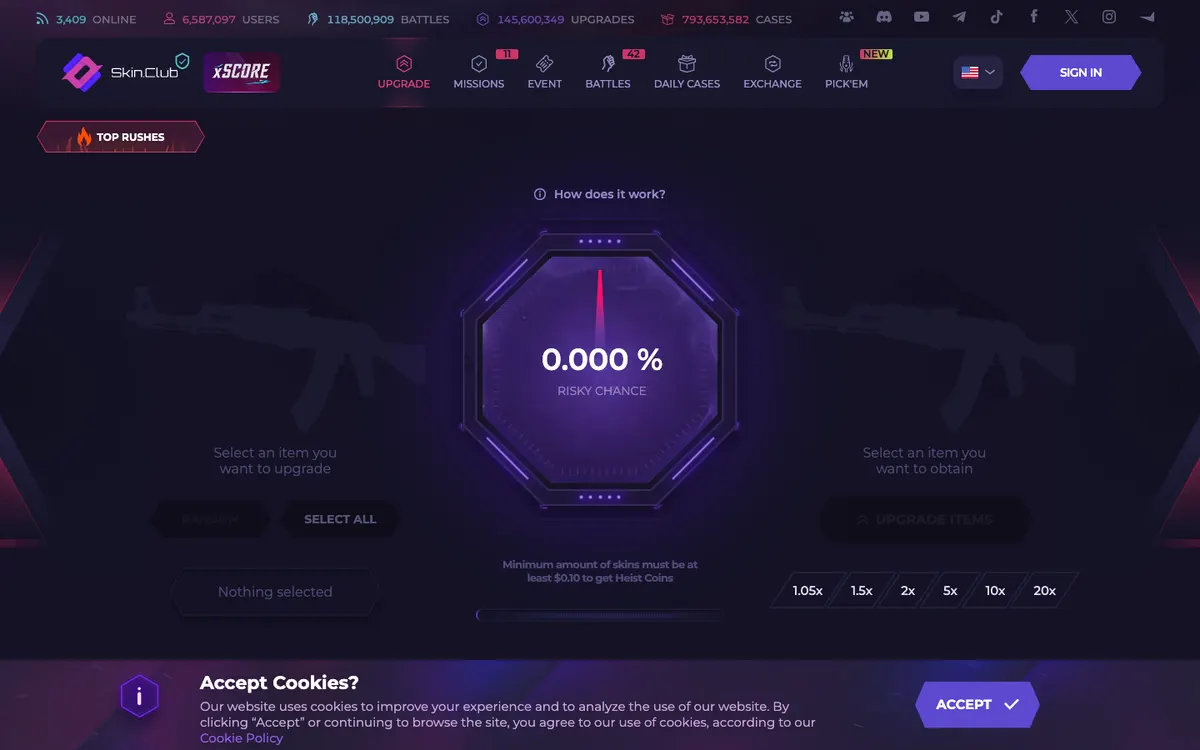
Skin.Club’s Upgrade interface: review the input selection, target item and displayed chance together before committing to an attempt.
- Review the input skinsSelect only items you are willing to put at risk. Check the exact entries and their displayed values rather than relying on a weapon image or abbreviated name.
- Choose the targetInspect the target’s identity and listed value. Changing the target changes the comparison with your inputs, so a previous chance reading may no longer describe the attempt.
- Read the final displayed chanceTreat the chance shown for the completed selection as more relevant than the multiplier shortcut alone. Pause if you cannot explain what you have selected and what is at risk.
- Check the result before doing anything elseAfter the attempt, inspect the recorded result and resulting inventory. Do not automatically repeat an attempt or increase the stake because the previous outcome was disappointing.
What the Upgrade multiplier buttons mean
The Upgrade page displays 1.05x, 1.5x, 2x, 5x, 10x and 20x options. These are displayed multiplier choices, not published success rates. Do not convert a multiplier into odds by simply taking its inverse: Skin.Club does not publish a complete Upgrade probability formula in its general mechanic description. Also, a visible set of buttons should not be treated as a definitive statement of every possible minimum or maximum selection. Read the target and chance that the live interface actually produces.
A higher chance is not the same as a safer objective
The price-gap rule explains the direction of the trade-off, not whether an attempt is worthwhile for you. Selecting more valuable inputs may bring them closer to the target, but it also puts more item value at risk. Choosing a less expensive target changes the objective rather than eliminating uncertainty. Compare both sides of the decision: what you could receive and what you could lose. If you would not willingly part with an input skin, a favourable-looking chance is not a reason to include it.
- Keep sentimentally important skins out of an input selection, regardless of their displayed price.
- Recheck the final chance whenever you change either the input selection or the target.
- Do not treat multiple unsuccessful attempts as progress towards a successful one.
- Separate an Upgrade result from Steam delivery: obtaining an item on the site does not itself complete a withdrawal.
- Stop if your reason for the next attempt is to recover the value of the previous attempt.
Case Battles: understand the room before joining
Skin.Club lists Regular, Crazy and Sharing battle modes, with player formats of 2, 3, 4 and 2x2. Its general overview describes up to 4 players opening cases, with the player who has the most expensive drop receiving all the skins. Battles can involve real players or bots. That short overview is not a complete rulebook for every variant: it does not establish how every multi-case comparison, team result or tie is resolved. Read the room’s own rules before treating a familiar mode name as sufficient information.
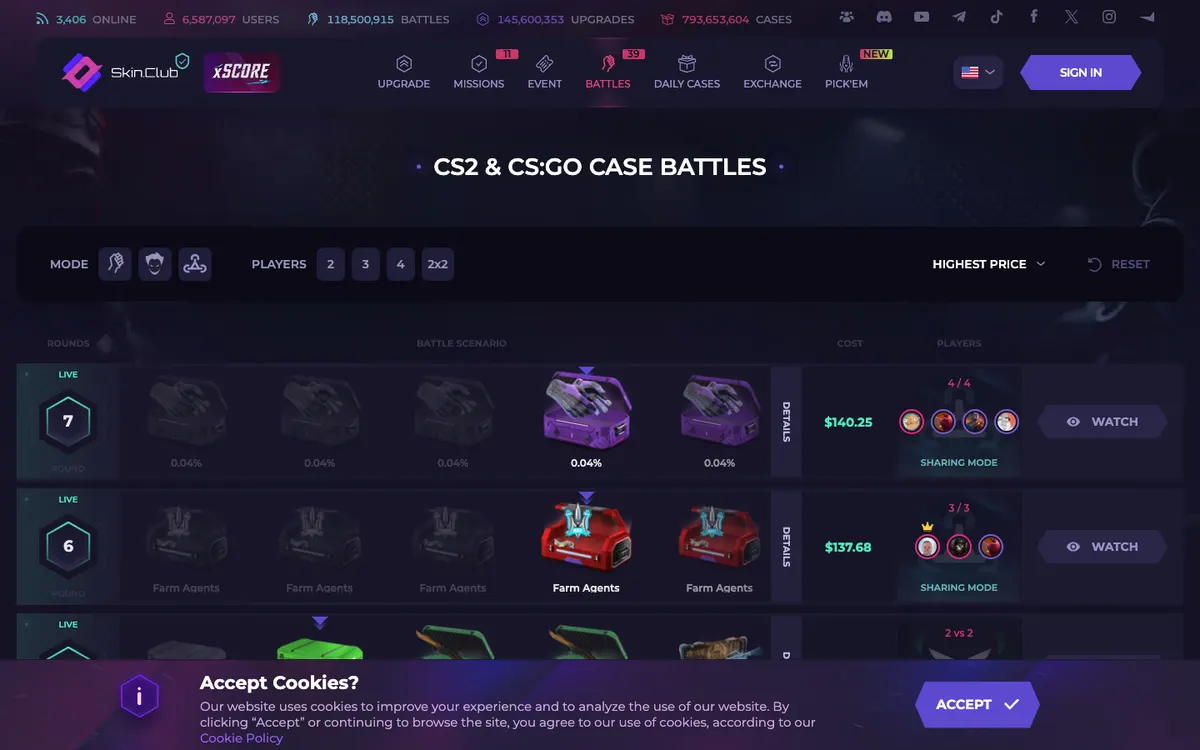
Skin.Club’s battle lobby shows available formats. Confirm the selected variant and room details rather than choosing from its name alone.
| Option | What Skin.Club publishes | What to establish before entry |
|---|---|---|
| Regular | A listed battle variant; the general overview describes the most expensive drop winning all skins | How the selected room scores its cases and resolves a tie |
| Crazy | A separately named battle variant | Its actual winner-selection rule; do not import another site’s definition |
| Sharing | A separately named battle variant | How items or value are allocated between participants |
| 2, 3 and 4 | Listed player formats | Available places, selected cases and the applicable variant |
| 2x2 | A listed team-format option | Team assignment, scoring and distribution |
| Bots or real players | Both opponent types are supported | Which participants are present and which room rules apply |
Check the whole battle, not just the entry cost
- Identify the variant and player format as separate settings; a player count does not explain the settlement rule.
- Inspect every selected case. A battle’s case selection matters just as it would when opening cases individually.
- Confirm the full entry cost shown for that room, not a price remembered from another battle.
- Find out how the room compares outcomes across cases and how any tie is handled.
- For a team format, establish how a team result becomes an individual allocation.
- If an essential rule remains unclear, leave the room unjoined and ask support rather than learning through a paid entry.
A battle changes what an individual drop means. In an ordinary case opening, the item result is the immediate focus. In a battle, an attractive personal drop may still be subject to the room’s allocation rule. Do not assume that seeing an item appear during the animation means it will remain yours after settlement. Follow the final battle result and the resulting account inventory, not only the sequence of items displayed while cases open.
Bots are an available participant type, not a documented difficulty setting or a reason to expect easier results. Similarly, more participants do not by themselves tell you whether a room is preferable. Case selection, the allocation rule and your total exposure are more useful comparison points than the social appearance of the lobby. Skin.Club names Crazy and Sharing but does not provide their complete settlement rules in its general mode description.
Does Skin.Club have Crash or Roulette?
Crash and Roulette are not included in Skin.Club’s published product list. Its documented main products are case opening, Upgrade and case battles. Do not confuse the Upgrade multiplier buttons with a separate Crash game, or assume that a circular result animation establishes a Roulette mode. The underlying selection and settlement rules define the product, not its visual presentation. If you arrive through a search for “Skin.Club crash” or “Skin.Club roulette,” use the official product navigation to establish what is actually available. A similarly named feature on another service does not provide rules, odds or payment terms for Skin.Club.
Daily cases, Community cases and supporting features
| Feature | Documented scope | Practical distinction |
|---|---|---|
| Community cases | Cases created by users | A catalogue source, not a guarantee of better outcomes |
| Daily cases | Level-based access, including Level 3, 10, 20 and up to 120 | Eligibility matters; access is not unconditional |
| Daily-case verified section | Verification may be requested and a hold may apply | Do not assume immediate, unrestricted availability |
| Missions | Listed as a supporting product | Read the current task and eligibility terms before participating |
| Events | Listed alongside the main products | Use the terms of the specific event rather than another event’s rules |
| Exchange | An item exchange feature | Do not assume it follows Upgrade’s chance-based mechanic |
| Pick’em | A listed supporting feature | Check its own rules rather than applying battle rules |
These features answer different questions. A Community case concerns who created the case; a daily case concerns access conditions; an event concerns a particular set of participation terms. None of those labels alone explains every outcome or entitlement. Skin.Club does not publish a single universal ruleset covering all missions, events and Pick’em activities in its general product description. Read the terms attached to the actual feature you are viewing, especially any eligibility, verification or claim conditions. Do not spend merely to pursue access to another activity without considering the spending itself.
Provably Fair: verify results without confusing fairness with value
Skin.Club says all its mechanics use Provably Fair technology. It describes access to roll history, seed changes, client and server seeds, and checks of other players’ results. In general, a provably fair system lets a player check a recorded result against the system’s disclosed generation method and relevant inputs. That is a different question from whether the payout structure is favourable, whether the selected case is affordable or whether an item is available for withdrawal. A verifiable result can still be a losing result.
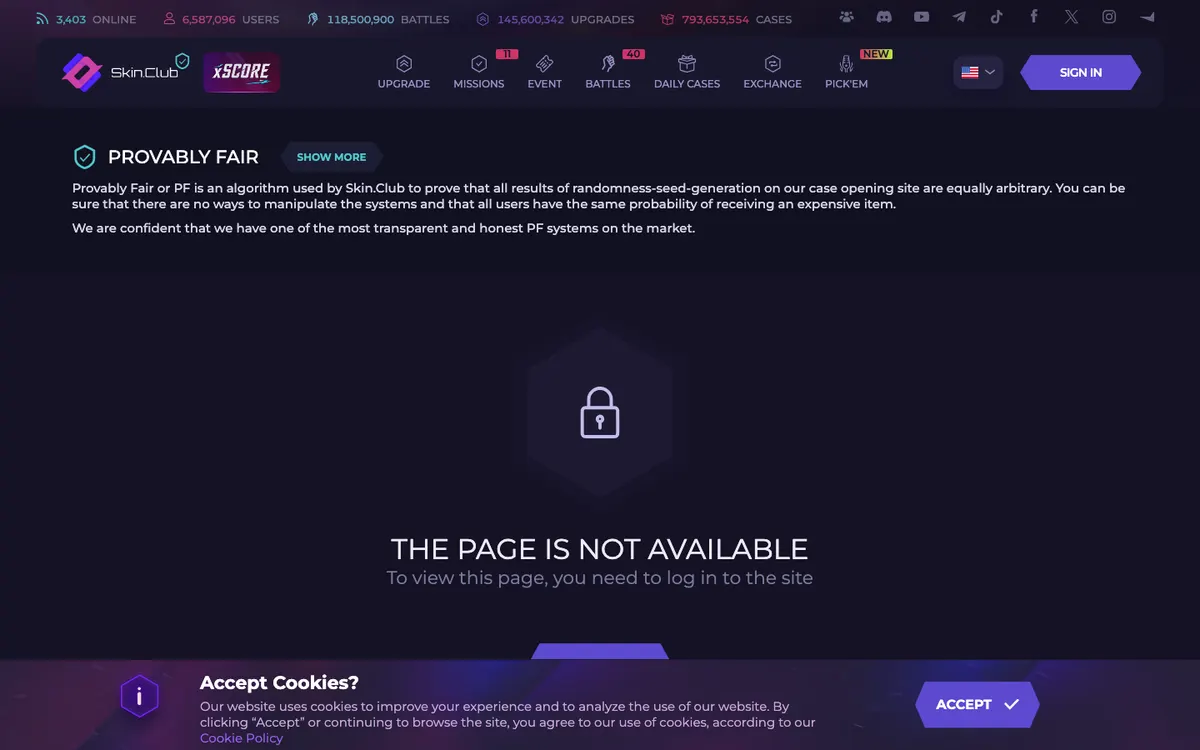
Skin.Club’s Provably Fair information and verification interface. Use the record for the specific completed activity you want to examine.
- Identify the exact resultLocate the relevant opening, Upgrade attempt or battle record. Keep enough identifying information to distinguish it from nearby activities.
- Use the relevant verification instructionsFollow the official instructions for that mechanic. Do not substitute a verifier from another service merely because it also refers to client and server seeds.
- Compare the recorded inputs and outputCheck that the information belongs to the same activity and that the resulting verification matches its recorded outcome.
- Keep verification separate from a delivery complaintA matching result does not resolve an unavailable withdrawal item or a payment hold. Those require the corresponding transaction and account details.
Changing a client seed should not be treated as a strategy for selecting a winning outcome. The purpose of verification is accountability for the result-generation process, not prediction. Likewise, looking through other players’ successful results does not establish your next result. For the distinction between seeds, commitments and checking a completed outcome, continue with the Provably Fair guide. Exact checks should follow Skin.Club’s current interface rather than an assumed algorithm.
Separate game results, Credits and Steam withdrawals
Skin.Club deposits become Credits: internal tokens that its terms describe as having no real-world value and that cannot be withdrawn, transferred or exchanged for cash. The site does not provide cash withdrawals. Item withdrawal is a separate process, and trades are carried out automatically by Steam bots. This means a balance figure, a completed game result and an accepted Steam trade are different states. Do not interpret a displayed item value as a promise that Skin.Club will pay that amount to a bank account or payment wallet.
- Check the settled inventoryMake sure the activity has finished and the item you intend to withdraw is actually present in your profile.
- Request the itemSkin.Club’s published process is to select the item in your profile and click Take.
- Review the Steam trade offerWait for the offer, inspect its contents and confirm that it matches the requested withdrawal before accepting.
- Investigate a restriction rather than playing againIf withdrawal is unavailable, examine the account or transaction status. Another case opening or Upgrade attempt is not a remedy for an unresolved delivery issue.
Skin.Club says withdrawals typically take a few minutes, but some skins may be unavailable for reasons outside its control. Its terms also allow withdrawal restrictions when a reversal leaves a negative balance. Separately, Valve explains that a Steam trade hold delays delivery to give owners of compromised accounts time to cancel fraudulent trades; that is a general Steam mechanism, not a Skin.Club game rule. See deposits and withdrawals for transaction issues and trade safety before accepting an offer.
Choose by objective—and recognise when not to play
- You want a particular skinStart by considering a direct acquisition of the known item rather than a random route. An Upgrade target is an objective, not a guaranteed purchase.
- You want to understand a caseStudy its contents, cost and outcome information first. A battle built from that case adds settlement rules; it does not remove the need to understand the case itself.
- You want a multiplayer formatCompare the battle variant, player arrangement and allocation rules. Choose no room at all if you cannot establish how its result is settled.
- You want to recover a lossStop rather than switch modes. Moving from cases to Upgrade or Battles changes the activity, not the fact that additional value is being put at risk.
Troubleshoot the right part of the process
| Situation | What to check | Useful next step |
|---|---|---|
| The Upgrade chance differs from what you expected | The final inputs, target and displayed values | Re-read the completed selection; do not infer a probability from the multiplier alone |
| A battle drop did not remain in your inventory | The variant, final result and allocation rule | Compare the settled battle record with the room rules |
| A daily case is locked | The published level and any verification condition | Resolve eligibility rather than assuming a technical fault |
| A result appears inconsistent | The activity record and its Provably Fair information | Save the identifying details and use the official verification instructions |
| A skin deposit shows a hold | Profile > Payments > On Hold | Skin.Club’s FAQ says skin deposits can be held for 8 days |
| A withdrawal is unavailable | Item availability and account balance status | Keep the item and transaction details for support; do not try to solve it by playing |
For an unresolved issue, prepare the mode name, approximate activity time, relevant item names, result identifier if displayed and a screenshot of the problem. Never send a Steam password or authentication code as supporting evidence. Skin.Club publishes help@skin.club as its support email and says support operates 24/7. The support guide explains how to organise a clear request. A concise record of the specific event is more useful than a general claim that a mode behaved unexpectedly.
Before you start: the short checklist
- Confirm that you meet the age requirement and that using the service is legal where you live.
- Identify the actual product: case opening, Upgrade, Battles or a separately governed supporting feature.
- Read the complete selection, total cost or input value, and applicable outcome or settlement rules.
- For Upgrade, check the final displayed chance; for Battles, check the variant and allocation method.
- Keep result verification separate from Credits, item availability and Steam delivery.
- Set a firm spending boundary and do not increase it to chase losses. Use the responsible-play guide if stopping feels difficult.
Skin.Club game modes FAQ
No matching questions found.
What game modes does Skin.Club offer?
How does Skin.Club Upgrade work?
What multipliers are shown in Skin.Club Upgrade?
How do Skin.Club case battles decide the winner?
What is the difference between Regular, Crazy and Sharing?
Does Skin.Club offer Crash or Roulette?
Does Provably Fair mean a Skin.Club mode is profitable?
Can I withdraw a game result as cash?
Explore Skin.Club
Links to Skin.Club's official site are independent and earn no commission. →
This guide is independent and informational. Check Skin.Club's official site for current terms.