
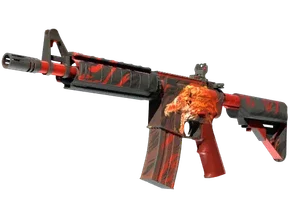
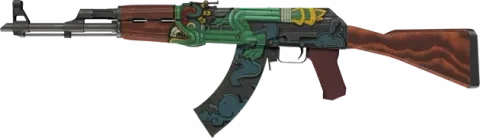
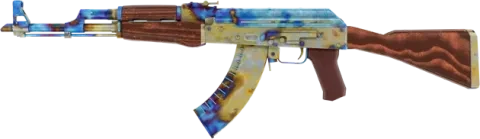

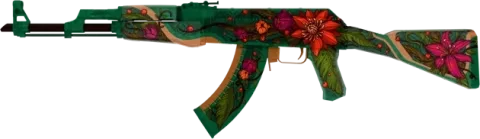

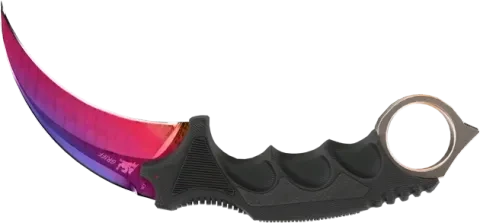
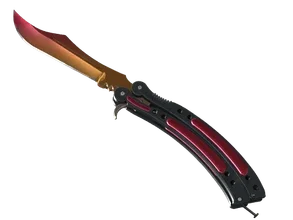
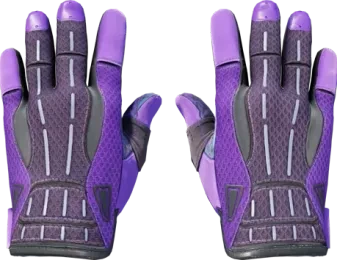
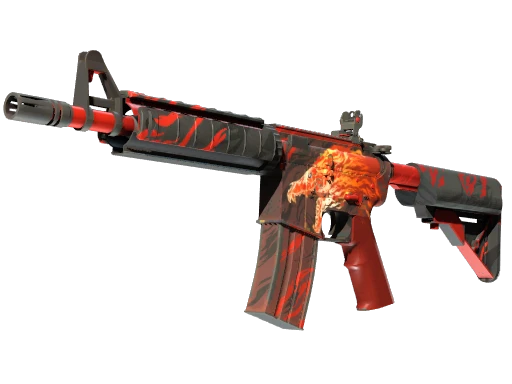
Its terms exclude residents of Washington and Nevada; eligibility elsewhere depends on applicable law. This page provides information about the brand’s CS2 cases, upgrades, case battles, Credits and Steam trade withdrawals; it does not describe a route for US players to use these features. Skin.Club documents automated trading bots and a Provably Fair system with accessible roll histories and seeds. Its model differs from simply paying a fixed price for an exact skin. Chance-based activities are for people 21 or older, carry a house edge and can result in losing the value committed.
Understand what “buy skins” means on Skin.Club
Skin.Club is focused on CS2, also described as CS:GO in some of its materials. Its core products are cases, upgrades and case battles, with additional features including exchange. Do not approach it as a general marketplace for CS2, Dota 2, Rust and TF2 items, or assume that every displayed skin is available as a straightforward fixed-price purchase.
The central distinction is between paying for a known item and paying to participate in a process with an uncertain outcome. A case price is the cost of opening that case, not a quotation for whichever skin catches your eye in its contents. Likewise, selecting an upgrade target does not purchase that target outright. Match the product to your goal before adding balance.
| Question | Skin.Club’s documented core model | A fixed-price item purchase |
|---|---|---|
| What does the payment fund? | Credits used within the site, including chance-based features. | An agreed purchase of a specified item. |
| Is the resulting skin certain? | Not when opening cases or attempting upgrades. | The item is identified before the purchase is agreed. |
| What price matters? | The activity cost, any additional charges and the conditions for receiving an item. | The item’s asking price and applicable transaction charges. |
| How does Skin.Club deliver skins? | Withdrawals use automated Steam trade offers. | Delivery depends on the marketplace or seller’s model. |
| Can Skin.Club balance be withdrawn as money? | No. Credits are not cash, and Skin.Club offers no cash withdrawal. | Payment and cash-out rules vary by service. |
Exchange deserves separate attention: Skin.Club lists it as a feature, but that alone does not establish a conventional marketplace checkout or a universal exchange rate. Read the actual offer and item details before agreeing to anything. If your sole objective is a particular finish in a particular condition, compare a known-item purchase with the uncertainty of the case-opening route. The platform overview explains the broader account flow.
Check your account and delivery route before funding
Skin.Club documents sign-in through Steam or Google and delivery of CS2 items through Steam trade offers. These are features of the service, not an indication that US players are accepted. A successful sign-in, payment and item delivery are separate events; US players should not treat these descriptions as instructions for using the service.
- Age eligibility varies by market. Chance-based activities are for people 21 or older in the United States; this does not mean Skin.Club accepts US players.
- Skin.Club restricts US eligibility under its terms. Its terms specifically exclude Washington and Nevada residents and apply a “where legal” clause elsewhere; no nationwide permission is implied.
- Use your own payment credentials. Skin.Club prohibits using another person’s payment credentials.
- Check Steam account access and trading notices. Resolve account-security or trading problems before committing funds.
- Set an entertainment budget that does not depend on receiving, exchanging or selling any particular skin.
- Do not use a VPN or proxy to bypass restrictions; Skin.Club’s terms prohibit them.
Identity checks can also affect the process. Skin.Club may request verification because of suspicious activity, a transaction or a payment method. Its terms allow requests for identification, a selfie with identification, payment evidence, address evidence and source-of-funds information. If verification establishes residence in a restricted country, the stated consequence is permanent account blocking. Do not assume an account can always proceed without verification.
How Skin.Club describes deposits and Steam inventory delivery
- Check the payment offerSkin.Club describes payment screens as showing the amount charged, Credits supplied and applicable conditions. These details do not establish US player acceptance or availability.
- Understand the balance you receiveDeposits become Credits. Skin.Club defines these as internal tokens with no real-world value that cannot be withdrawn, transferred or exchanged for cash.
- Separate activity cost from item ownershipA case opening purchases participation in that opening. An upgrade commits selected items to an attempt at a target. Neither should be treated as a fixed-price order for the desired result.
- Review the resulting itemBefore making another decision, inspect the item information and available account actions. Choosing to continue with a chance-based feature exposes value to another uncertain outcome.
- Skin.Club’s documented withdrawal processSkin.Club documents withdrawals through profile item selection and Steam trade offers. This describes the brand’s process and is not guidance for US players to use the service.
- Steam offer reviewSkin.Club describes Steam trade offers as the delivery mechanism. US players should not interpret this description as an invitation or instruction to use the service.
Keep evidence at the points where value changes form: payment confirmation, balance credit, activity result and withdrawal request. These records answer different questions. A card receipt can establish that a payment occurred, but it does not by itself show which item was requested for delivery. Similarly, a skin displayed in a site profile is not the same as a skin already received in Steam.
Read prices without confusing cost and value
Several different values can appear during the same session: the amount charged by a payment provider, the Credits credited to an account, the cost of opening a case, and a displayed valuation attached to a skin. These are not interchangeable. In particular, a displayed skin value is not a promise that Skin.Club will pay that amount in cash; it does not offer cash withdrawals.
Skin.Club does not publish a comprehensive fee table. Its terms reserve the right to charge additional fees and change the fee structure. That makes the current transaction screen important, but an absent fee line should not automatically be interpreted as proof that every stage is without cost. If the total charge or the value being committed is unclear, resolve that uncertainty before paying.
| Stage | Check before proceeding | Do not assume |
|---|---|---|
| Payment | The final charge, currency, Credits offered and any provider conditions. | That the advertised balance and the payment provider’s final charge are identical concepts. |
| Skin deposit | The specific Steam items being sent and the credit offer attached to them. | That an external listing price determines the site’s deposit valuation. |
| Case opening | The opening cost, possible contents and any stated probabilities. | That paying the case price purchases a featured skin. |
| Upgrade | The selected input skins, target skin and displayed chance. | That the target’s displayed value is the price of a guaranteed purchase. |
| Exchange | The items surrendered, items received and complete exchange terms. | That an exchange feature implies a universal rate or identical item valuations. |
| Withdrawal | The selected skin, its availability and any transaction-specific conditions. | That a profile valuation is a cash payout quotation. |
For a useful comparison, compare like with like. Match the weapon, finish, condition and relevant variant rather than comparing only a name or thumbnail. As general market context, the Steam Community Market uses Steam Wallet funds and displays transaction-fee lines in its purchase dialog. That is a different payment environment from Skin.Club Credits. See the pricing and fees guide for the distinction between published charges and checks that must be made for an individual transaction.
Payment methods documented by Skin.Club
Skin.Club names G2A Pay, credit cards and CS2 skins as payment methods, and displays payment and authentication logos in its footer. These references describe the brand’s published materials; they do not establish US player acceptance or availability.
| Method or indicator | What Skin.Club documents | Practical check |
|---|---|---|
| Credit cards | Credit cards are named as a payment system. | The published reference does not establish US availability or player acceptance. |
| G2A Pay | G2A Pay is named as a payment system. | The published reference does not establish US availability or player acceptance. |
| CS2 skins | Skin deposits are supported; a hold or provisional credit can apply. | Skin deposits are a documented feature; this does not establish US player acceptance or availability. |
| Footer logos | Visa, Visa Secure, Mastercard, Maestro, Mastercard ID Check, Sofort and Interac are displayed. | Do not treat logos alone as confirmation of availability, limits, fees or processing time. |
Skin.Club’s published refund condition is narrow: refunds are possible only for a mistaken payment while the topped-up balance remains untouched. This describes the brand’s stated policy and does not imply that US players are accepted. The policy should not be read as a guarantee that a refund will be available in any particular case.
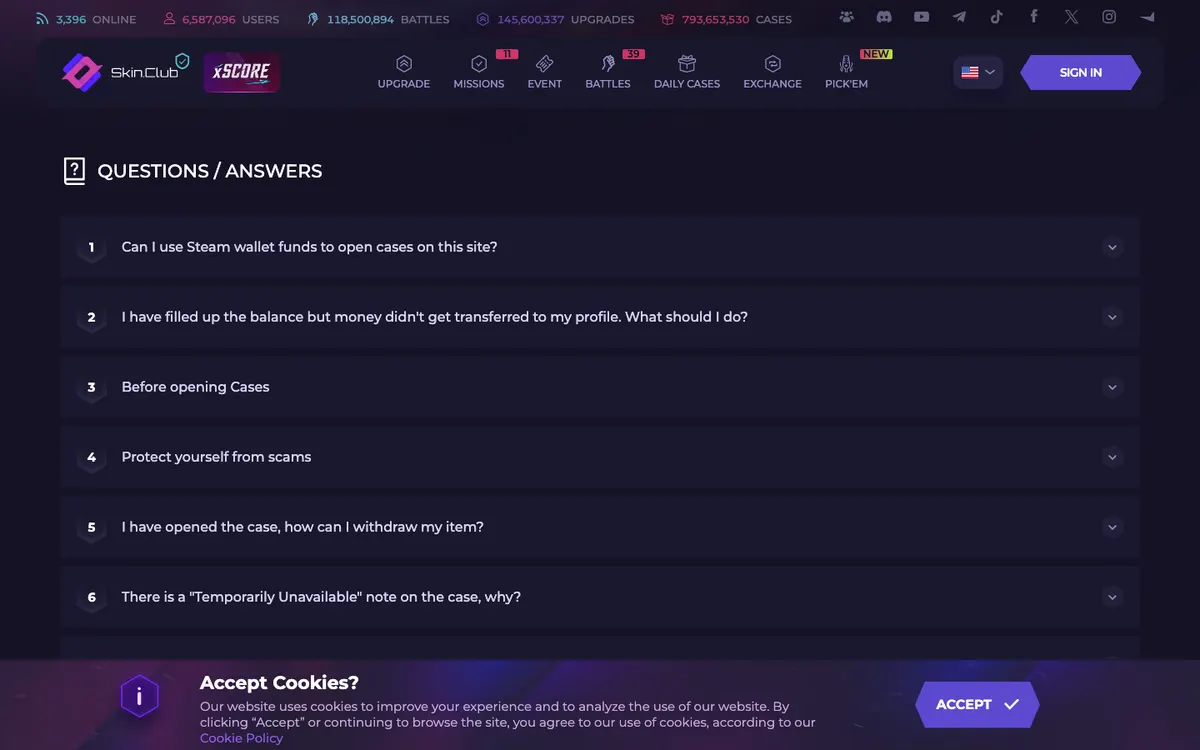
Skin.Club FAQ screen: payments, withdrawals, Steam requirements and account verification are grouped here. Use the current instructions alongside the status of your own transaction; the presence of an FAQ topic does not establish an individual payment’s completion time.
Recognise what each mode commits you to
Cases: the opening price is not an item price
With a case, the desired item is a possible outcome rather than an order specification. Before opening, look for the contents, cost and any stated drop probabilities. Do not infer probability from the size, position or appeal of an item’s image. Skin.Club also describes an Adrenaline indicator, but explicitly says it is informational and does not affect or guarantee outcomes. An attractive indicator is not a substitute for understanding the opening itself.
Upgrade: a target is not a purchase confirmation
Skin.Club’s Upgrade mechanic lets you select skins and choose a target. It states that a smaller price gap between the selected skins and target corresponds to a higher success probability. That relationship does not turn an attempt into a certain exchange. Read the displayed chance and understand what is committed before proceeding; if you want to keep the input skin, do not treat upgrading it as a necessary withdrawal step.
Battles: inspect the format before joining
Skin.Club lists Regular, Crazy and Sharing battle modes. Do not carry an assumed payout rule from one named mode into another. Its published information describes the selected format, participation cost and result-allocation rules. Battles are chance-based activities, for people 21 or older in the United States, with a house edge. Skin.Club restricts US eligibility under its terms. The game modes guide provides the broader comparison.
Check the actual skin, not just its picture
The following are general CS2 item checks, not promises about Skin.Club inventory. Similar-looking skins can differ in condition, pattern or variant. Wear describes cosmetic condition, while float is the underlying value used to express that condition. Normal play does not progressively wear a finish down. Rarity, meanwhile, is an item classification rather than proof of a particular market price or future demand.
- Match the complete weapon and finish name rather than relying on a familiar colour scheme.
- Check the stated condition and any float information that is actually available.
- Distinguish a standard item from a StatTrak or other named variant where relevant.
- If appearance depends on a pattern, do not assume a generic thumbnail establishes the exact pattern delivered.
- Check whether stickers or other visible details are explicitly part of the item being offered.
- Read current tradability messages separately from the item’s cosmetic description.
Only rely on attributes actually shown or confirmed for the item. If a specific float, pattern or sticker arrangement is essential to your decision, uncertainty about that attribute is a reason to pause. This also makes price comparisons more useful: a superficially similar item elsewhere may not be an equivalent item. The glossary explains the terminology without treating cosmetic distinctions as financial promises.
Receive skins through Steam trade offers
Skin.Club says its trades are carried out automatically by Steam bots and describes withdrawals as involving profile item selection and a Steam offer. It gives a few minutes as a typical timeframe, not a deadline. Item availability, account conditions and Steam-side restrictions can affect an individual request. This is a description of the brand’s process, not guidance for US players to use it.
- Verify the destinationSkin.Club’s published withdrawal information refers to a Steam destination and, where requested, a trade URL. This describes the process and is not guidance for US players to access the service.
- Review the withdrawal selectionSkin.Club’s published process refers to profile item selection and availability messages; this does not indicate that US players are accepted.
- Open the offer through SteamSkin.Club describes Steam as the location where its trade offers are reviewed. This is process information, not an instruction for US players to use the service.
- Read both sidesSteam trade offers show what each party sends. This describes the offer format and does not establish that US players may use Skin.Club.
- Check the final statusSteam may display inventory or trade status information after an offer. Receipt and onward trading are separate matters; this is general process information, not an instruction to use Skin.Club from the United States.
As general Steam context, a trade hold means Steam keeps items for a period before delivery, giving the owner of a compromised account time to cancel a fraudulent trade. Steam Guard provides an additional authentication layer for trade and market confirmations. Those concepts are distinct from Skin.Club’s skin-deposit settlement rules; an 8-day deposit hold should not be presented as the universal delivery time for every withdrawal.
Skin.Club’s terms also warn that some skins may be unavailable for withdrawal for reasons outside its control. Receiving an item and being able to trade it onward immediately are separate questions. Use the current Steam notice for the latter rather than assuming that successful receipt removes all restrictions. More detail is available in the deposit and withdrawal guide.
Separate result verification from trade security
Skin.Club says all its mechanics use Provably Fair technology, with roll history, seed changes, client seeds and server seeds available, and other players’ results checkable. That is relevant to examining outcomes. It does not turn a random result into a known-item purchase, remove the house edge or prove that a Steam offer from a stranger is genuine. These are different forms of risk requiring different checks.
- For outcome questions, keep the activity record and use the available seed and roll information.
- For payment questions, keep the receipt, provider reference and credited-balance details.
- For trade questions, inspect the real Steam offer, including everything you send and receive.
- Never send a password, authentication code or recovery code to someone claiming to be support.
- Do not treat a bot-like name, avatar or unsolicited message as proof that an account is authorised.
A Steam trade URL helps route trade offers; it is not your Steam password. Nevertheless, handle account information carefully and use Steam’s own pages for security settings and confirmations. The trade safety guide covers transaction checks, while the Provably Fair guide addresses result verification. Neither should be substituted for the other.
Troubleshoot the stage that actually failed
| Situation | First check | Sensible next step |
|---|---|---|
| The payment appears charged but balance is missing | Compare the payment receipt with the account’s payment history. | Keep the provider reference and ask support to trace that payment before making another deposit. |
| A skin deposit is not usable | Look under Profile > Payments > On Hold. | Check whether the documented deposit hold explains the status rather than assuming the trade was lost. |
| The balance became negative | Check whether a provisional skin-deposit credit was reversed. | Ask support for the transaction explanation; withdrawals can be limited after a reversal. |
| Take does not produce a completed delivery | Review the withdrawal status, item availability and Steam account notices. | Keep the requested item details and any error message instead of repeatedly submitting the same action. |
| An unexpected trade offer arrives | Compare both sides with the transaction you initiated. | Do not accept an offer that does not match. Return to the account and Steam interfaces independently. |
| The delivered item cannot be traded onward | Read the restriction shown by Steam for that item. | Distinguish successful delivery from onward tradability and follow the current Steam notice. |
Skin.Club lists help@skin.club as its support email and states that support works 24/7. Prepare the account identifier, transaction reference, relevant item names, timestamps and screenshots of the status or error. Describe whether the problem concerns payment, balance, an activity result or a Steam offer. Never include passwords or authentication codes. The support guide explains how to assemble a clear request without exposing unnecessary account information.
Before spending: a short buying checklist
- Decide whether you want a known item or are choosing a chance-based activity.
- Confirm legal eligibility, account access and the intended Steam destination.
- Read the final payment amount, Credits offered and transaction conditions.
- Understand that Credits cannot be withdrawn as cash.
- Check the exact item attributes and availability before requesting delivery.
- Inspect both sides of every Steam trade offer.
- Stop at your preset budget rather than spending more to recover an earlier result.
If the route no longer matches your original goal, pause before the next transaction. A larger deposit or another opening does not resolve uncertainty about fees, item specifications or delivery. For help setting boundaries around chance-based spending, see responsible play.
Buying skins on Skin.Club: frequently asked questions
No matching questions found.
Can I buy a specific CS2 skin directly on Skin.Club?
How much does it cost to buy skins on Skin.Club?
Which payment methods does Skin.Club document?
Can I deposit cryptocurrency?
How long does Steam delivery take?
Can I withdraw Credits or skin values to my bank account?
Why is my skin deposit on hold?
Can I get a refund if I deposited by mistake?
Can I buy Dota 2, Rust or TF2 items on Skin.Club?
Explore Skin.Club
Links to Skin.Club's official site are independent and earn no commission. →
This guide is independent and informational. Check Skin.Club's official site for current terms.