


Links to Skin.Club's official site are independent and earn no commission. · Link disclosure
Best CS2 skins
  • Last updated:
  • 12 min read
  • 7 Sections

Its terms exclude residents of Washington and Nevada; eligibility elsewhere depends on applicable law. This FAQ provides information about the brand’s CS2 cases, Upgrade, case battles, payments and Steam withdrawals; it does not explain how to access or use the service. Skin.Club describes automated Steam-bot trades and a Provably Fair result history.

Skin.Club’s official FAQ interface covers payments, withdrawals, Steam requirements and account verification. For a transaction problem, match the explanation to the status shown in your own account.
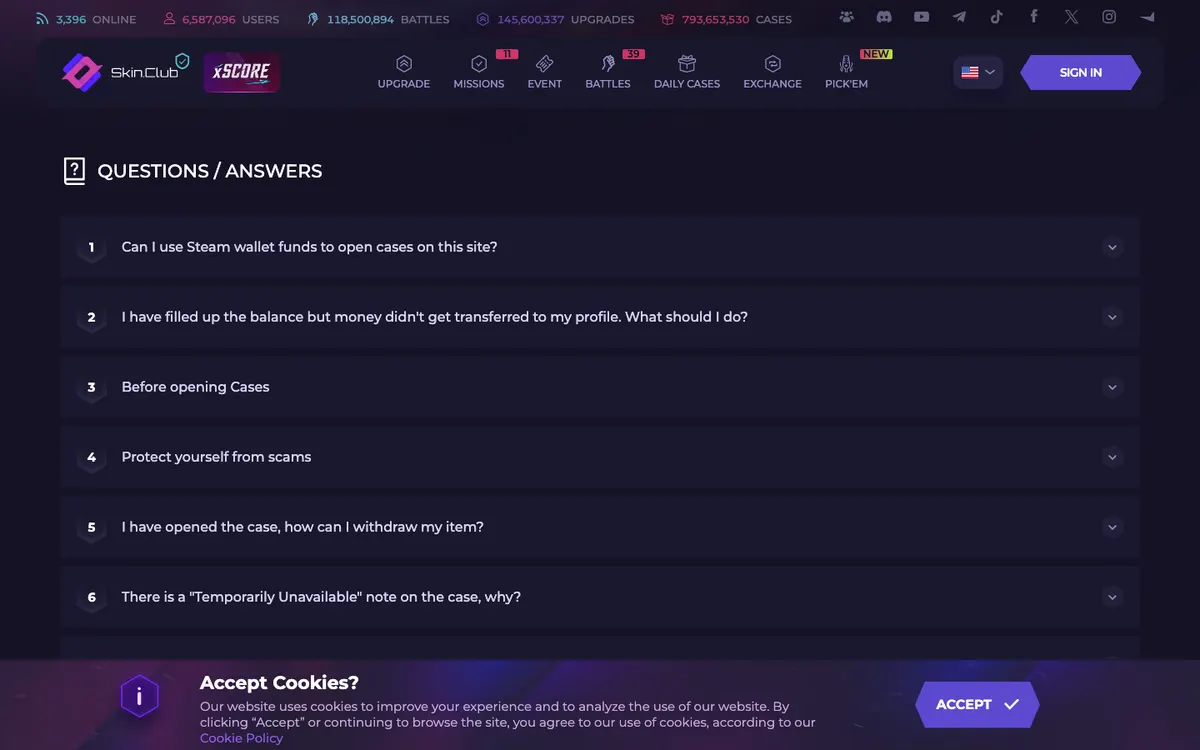
Screenshot of Skin.Club: FAQ: payments, withdrawals, Steam requirements and account verification
skin.club

Cases, Upgrade and battles: understand the differences

Choose a mode by its mechanics, not by the appearance of the featured skins.
ModeWhat you chooseImportant distinction
Case openingA case from the available catalogueYou are choosing a chance-based opening, not directly purchasing a particular pictured skin.
UpgradeOne or more input skins and a target skinThe price gap affects success probability; selecting a target does not mean receiving it.
Case battlesA battle and its available formatRegular, Crazy and Sharing are separate modes. Read the selected mode’s rules before joining.
Is Skin.Club a skin marketplace or a case-opening site?
Skin.Club is primarily a CS2 case-opening site with Upgrade and case battles, rather than a conventional marketplace where every transaction buys a known item. It also lists missions, daily cases, events, exchange and Pick’em. Keep those activities separate when assessing a transaction: a case opening, an upgrade attempt and an item exchange are not interchangeable. The how-it-works guide explains the overall account-to-withdrawal journey.
Does Skin.Club support Dota 2, Rust or TF2 skins?
The documented offering is CS2, also referred to as CS:GO in some descriptions. Dota 2, Rust and TF2 are not listed as supported games. Having an item in a Steam inventory does not automatically make it eligible for a Skin.Club deposit or exchange. Check the actual item selector before planning to use anything from your inventory.
How does Skin.Club Upgrade work?
You select one or more skins, choose a target skin and initiate the upgrade. Skin.Club says a smaller price gap between the selected skins and the target means a higher success probability. Its interface shows multiplier options including 1.05x, 1.5x, 2x, 5x, 10x and 20x. Those selectors are not probabilities by themselves. Read the displayed chance and review the input items before committing them.
How do battles work, and can I play against bots?
Skin.Club describes a basic battle mechanic in which up to 4 players open cases and the player with the most expensive drop receives the skins. It supports battles against bots or real players. The lobby lists Regular, Crazy and Sharing modes, with 2, 3, 4 and 2x2 player formats. Do not apply the basic winner rule automatically to every variant; check the selected battle’s rules. See the game-modes guide for the distinctions.
What are Community cases, and how do daily cases unlock?
Community cases are cases created by users. Skin.Club also lists event, farm, anime, premium, battle, sticker and daily case categories. Daily cases have level-based eligibility, including Level 3, 10 and 20, with levels extending up to 120. A verified section also exists, and a hold may apply when verification is requested. Check the eligibility shown for the particular case rather than assuming access from its name.
Does the Adrenaline indicator change my result?
No. Skin.Club describes Adrenaline as an informational ratio relating the likelihood of desirable skins to the case cost, and says it does not affect the outcome. It should not replace reading the case’s current contents, cost and any displayed probability information. A striking indicator or featured item is not a prediction of what your opening will produce.

Deposits, Credits and fees: know what your payment buys

Which payment methods does Skin.Club list?
Skin.Club lists G2A Pay, credit cards and CS2 skins as payment methods. These are descriptions of the brand’s listed payment methods, not an indication that Skin.Club accepts players from the United States or that any payment route is available there.
What are Credits, and can I withdraw them as money?
Deposits become Credits, which the terms define as internal tokens with no real-world value. Credits cannot be withdrawn, transferred or exchanged for cash. This is different from an eligible skin that can be delivered to a Steam inventory. Skin.Club does not provide cash withdrawals, so do not treat the balance as a bank balance or a cash-out facility.
Where can I find the deposit, exchange and withdrawal fees?
Skin.Club does not publish a comprehensive fee table, and its terms reserve the right to charge additional fees and change the fee structure. Do not interpret an absent fee schedule as a promise that every transaction has no charge. Review the amount charged, Credits offered and item valuation before confirming. If the breakdown is unclear, ask support first; the fees guide explains what to compare.
Why is my skin deposit on hold for 8 days?
The official FAQ says skin deposits can be held for 8 days, with their status shown under Profile > Payments > On Hold. The terms also describe Instant Credit as provisional credit during an 8-day Settlement Period. If Steam Trade Protection reverses the deposit trade, that credit can be reversed, potentially taking the balance below zero. A displayed provisional balance should therefore not be mistaken for a fully settled deposit.
Can I get a refund after topping up?
The published refund rule is narrow: a refund is possible only for a mistaken payment and only when the top-up balance remains untouched. That is not a general cancellation right after using the balance. If you paid by mistake, stop using the balance and contact support with the receipt and transaction details. Do not make another payment simply to test whether the first one worked.

Withdraw skins to Steam and identify the cause of delays

  1. Withdrawal process overviewSkin.Club’s documented process describes selecting items in a profile, subject to item availability.
  2. Withdrawal actionSkin.Club’s documentation describes a Take control for selected items.
  3. Steam trade offersSkin.Club says its trades are handled automatically by Steam bots. Its documentation advises checking an offer’s items and both sides before acceptance.
  4. Withdrawal statusSkin.Club documentation describes checking withdrawal status in the profile and Steam. Unresolved transaction issues can be raised with support.
How long do Skin.Club withdrawals take?
Skin.Club says item withdrawals typically take a few minutes; this is its usual description, not a delivery deadline. Item availability, account status and Steam-side restrictions can affect whether a withdrawal proceeds. The brand restricts US eligibility under its terms.
Why is a skin unavailable for withdrawal?
The terms say some skins may be unavailable for reasons outside the company’s control. Withdrawals can also be limited when a reversal leaves the balance negative. Identify whether the problem concerns a particular item, an account balance or the Steam trade itself; those are different issues. The deposit and withdrawal guide provides a fuller checklist.
Is a Steam trade hold the same as Skin.Club’s deposit hold?
No. In general Steam terminology, a trade hold means Steam holds items before delivery, giving an account owner time to cancel a fraudulent trade. Skin.Club’s 8-day deposit hold and Settlement Period concern how a skin deposit is treated on its service. Read the actual status message to establish which system is applying the restriction; do not transfer a duration from one process to another.
What is a Steam trade URL, and does Steam Guard matter?
A trade URL identifies where Steam trade offers can be sent; it is not a password. If asked for it, copy it from your own Steam trade-offer settings rather than from a message or another account. Steam Guard’s Mobile Authenticator provides an additional authentication layer for trade and market confirmations. This general Steam guidance does not establish a specific Skin.Club waiting period. See trade safety for practical checks.
Why should I check wear, float and the full item name?
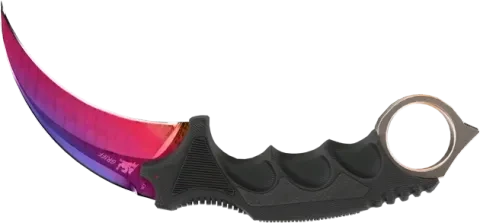
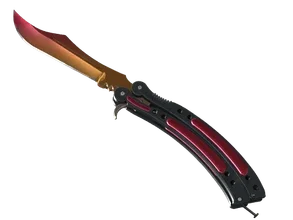
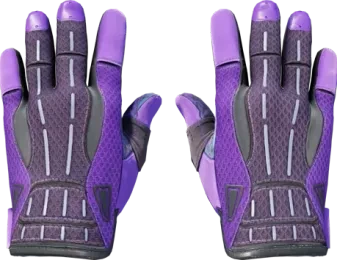
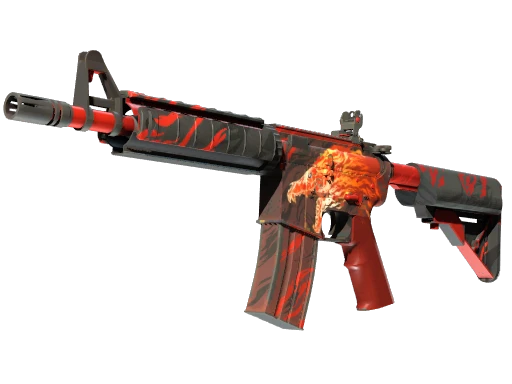
These are general skin-identification details, not special Skin.Club rules. Wear describes an item’s condition category, while float is a more precise wear value. Rarity is a separate classification, and a StatTrak designation identifies a distinct variant. Check the exact item rather than relying on a thumbnail: similarly named skins can differ, and rarity alone does not establish what another venue will pay.

Check fairness without confusing it with value

What does Skin.Club say its Provably Fair system covers?
Skin.Club says all its mechanics use Provably Fair technology. It describes access to roll history, seed changes, client and server seeds, and the ability to check other players’ results. Those records are relevant to checking how a recorded outcome was generated. They are not a substitute for understanding the selected mode’s rules, item valuations or the amount you are committing.
What do seeds and hashes mean when checking a result?
In general, seeds are inputs used in a result calculation. A hash can act as a commitment to data, allowing a later comparison when the underlying information is disclosed. The exact calculation and required inputs depend on the implementation. Use Skin.Club’s own verification instructions and the record for the specific result, rather than borrowing another site’s procedure. The Provably Fair guide explains the concepts.
Does a verifiable result mean a case or upgrade is good value?
No. Reproducing an outcome under stated rules addresses a different question from whether the price and possible outcomes suit you. Games of chance still carry a house edge, and a successful verification does not predict the next result. Treat the cost as an entertainment expense you can afford to lose, not as a way to recover earlier spending.

Sign-in, verification and regional access

Can I sign in with Steam or Google?
Skin.Club’s terms list Steam and Google sign-in. Before authenticating, check the destination and use your own account. Signing in successfully does not by itself establish that a payment or Steam trade can proceed. If access fails, note the sign-in method and exact error without sharing passwords or authentication codes. The login guide separates authentication issues from trading problems.
Why might Skin.Club request identity verification?
The terms say KYC can be triggered by suspicious activity, a transaction or a payment method. Requested information may include your name, government ID, a selfie with ID, payment evidence, proof of address and source of funds. Ask which documents are required for your case and confirm the official submission route. Do not send sensitive documents to an account that contacts you through an unsolicited message.
Can I pay using someone else’s card or payment account?
Skin.Club’s terms prohibit using someone else’s payment credentials. This describes the brand’s terms and does not indicate that Skin.Club accepts players from the United States.
Where is Skin.Club available, and are VPNs allowed?
Skin.Club restricts US eligibility under its terms. Its terms specifically exclude residents of Washington and Nevada and state that use is permitted only where lawful; other states are subject to that clause, which does not establish state authorization. No Skin.Club gambling licence is published, and an offshore licence would not establish authorization in a state. Check the relevant state gaming regulator for applicable requirements. Skin.Club also prohibits VPNs and proxies. Do not attempt to bypass a location restriction.
Who operates Skin.Club, and is it affiliated with Valve?
Skin.Club identifies its operator as MOONTAIN LIMITED, registration number HE410299, in Nicosia, Cyprus. Its terms are governed by Cyprus law. Skin.Club also states that it is not affiliated with or endorsed by Valve, CS2 or Steam. Automated trades through Steam should not be interpreted as Valve approval of the service.

Get support with the evidence needed to investigate

How do I contact Skin.Club support?
The published support address is help@skin.club, and the contacts page says support operates 24/7. That availability does not establish an immediate reply or resolution time. State the problem clearly, include the relevant identifiers and explain what you have already checked. The support guide helps organise a payment, withdrawal or account enquiry.
Which address handles privacy requests?
Skin.Club lists privacy@skin.club for data-protection matters. Its other published addresses include official-inquiries@skin.club for government requests and partner@skin.club for partnerships. Ordinary payment, login and withdrawal issues belong with general support rather than being sent indiscriminately to every address.
  • Identify the affected account using the account details appropriate to your enquiry, without including its password.
  • Include the payment receipt, transaction reference or Steam trade-offer identifier when available.
  • Record when the issue occurred and what status is currently displayed.
  • Name the affected item, case, upgrade attempt or battle so the issue can be located.
  • Attach a screenshot of the error, removing unrelated personal and financial information.
  • Describe the actions already taken and the outcome you need clarified.
  • Never include Steam Guard codes, recovery codes or full payment-card credentials.

Set limits before chance-based play becomes a problem

What should I decide before opening cases or joining battles?
Set a spending limit and a stopping point before starting, using only money you can afford to lose. Include the value of deposited skins in that budget; an existing inventory is still something of value. Do not increase your budget after an unsuccessful opening or upgrade. If a particular known skin is your goal, distinguish that goal from paying for a chance-based result.
What should I do if I am chasing losses or struggling to stop?
Stop making deposits and step away from the activity. Chasing losses, hiding spending or repeatedly breaking personal limits are reasons to seek help rather than change modes. Ask support what account restrictions or closure options are available, without assuming a particular tool is provided. The responsible-gambling guide explains warning signs and practical next steps.

Explore Skin.Club

Visit Skin.Club

Links to Skin.Club's official site are independent and earn no commission. →

This guide is independent and informational. Check Skin.Club's official site for current terms.

Related pages

ReviewUS Skin.Club review: CS2 cases, Upgrade, battles, deposits, provably fair checks, fees and Steam withdrawals. No cash payouts; US eligibility is restricted.Open section SupportSkin.Club restricts US eligibility under its terms. This independent guide explains published support contacts and support policies.Open section HomeExplore Skin.Club CS2 cases, upgrades and battles, Steam skin withdrawals, G2A Pay deposits, payment rules and safety checks in the United States.Open section How it worksLearn how Skin.Club works, including its restriction on players from the United States, site Credits, CS2 cases and Steam skin withdrawals. No cash payouts.Open section Supported gamesCheck Skin.Club's CS2 / CS:GO support in the United States, Dota 2, Rust and TF2 availability, plus how case opening, Upgrade and Steam skin withdrawals work.Open section Buy SkinsLearn how Skin.Club Credits, CS2 cases, card and skin deposits, pricing checks, and Steam trade delivery work. US eligibility is restricted under its terms.Open section Sell skinsCan you sell CS2 skins on Skin.Club in the United States? Compare Credits with cash payouts, the 8-day deposit hold, fees and item withdrawals through Steam.Open section FeesSkin.Club fees for CS2 cases, upgrades and battles, Credits, card deposits, skin withdrawals, and the 8-day settlement period in the United States.Open section Trade safetySkin.Club in the United States: Steam Guard, bot trade offers, 8-day deposit holds, withdrawal checks, impersonation scams; US eligibility restricted.Open section CasesCompare Skin.Club CS2 case types, Credits pricing, daily-case levels and Provably Fair checks. Skin.Club restricts US eligibility under its terms.Open section Game modesSkin.Club CS2 cases, Upgrade and Battles, displayed chances and Steam withdrawals. US eligibility is restricted under its terms and varies by state.Open section Provably FairUnderstand Skin.Club provably fair checks for CS2 cases, upgrades and battles in the United States. See how seeds, hashes and roll history verify results.Open section
Independent guide

Explore Skin.Club

Visit Skin.ClubRead the review

Independent guide. Availability depends on your location.