


If your goal is to sell CS2 skins for money, Skin.Club is not a cash-out service. Its documented item-handling features include CS2 skin deposits, automated Steam-bot trades and withdrawals of skins to Steam, typically described as taking a few minutes. Deposits become internal Credits, however, and Skin.Club does not offer cash withdrawals. Before transferring an item, separate the outcome you want—spendable site balance, a skin in your Steam inventory or money paid outside the site. This guide explains those differences, the published deposit settlement period, what is known about fees and how to investigate a delayed transfer.
Start with the outcome: money, Credits or a Steam item
The important question is not simply whether a site accepts skins. It is what you receive in return and where that value can go next. Skin.Club accepts CS2 skins as a deposit method, but its Terms describe the resulting Credits as internal tokens with no real-world value. Credits cannot be withdrawn, transferred or exchanged for cash. An amount displayed in an account therefore must not be treated as money available for a bank transfer.
| Your goal | What Skin.Club documents | What that means |
|---|---|---|
| Sell an existing CS2 skin for money | CS2 skin deposits are accepted; cash withdrawals are not offered. | A deposit is not a cash sale. |
| Receive site balance for a deposit | Deposits become internal Credits. | Read the settlement and reversal terms before transferring an item. |
| Move an eligible site item to Steam | Select items in your profile, click Take and accept the Steam trade offer. | The withdrawal delivers a skin, not a monetary payout. |
| List a skin and wait for a buyer | No seller-listing workflow or seller commission schedule is published. | Do not assume a conventional marketplace listing service. |
| Receive Steam Wallet funds | Steam's Community Market uses Steam Wallet funds. | That is a separate service and a different balance from Skin.Club Credits. |
For someone who already has a withdrawable item on Skin.Club, the relevant process is item delivery. For someone holding a skin in Steam and looking for money, the relevant requirement is an explicitly supported monetary payout elsewhere. Keeping those starting points separate prevents a deposit from being mistaken for a sale. The broader deposit and withdrawal guide explains the movement of items and account balance.
What “sell skins” does—and does not—mean here
Skin.Club is a CS2 case-opening, upgrade and case-battle service rather than a documented cash marketplace. These chance-based activities are 19+ in Canada and carry a house edge. Its published payment systems include G2A Pay, credit cards and CS2 skins. Those are ways to fund an account; their presence does not mean the same methods can receive withdrawals. In particular, a card-payment option should not be read as a promise of card payouts.
An item valuation, a site balance and a cash offer are different things. A valuation assigns an amount to an item for a particular purpose. A balance records what an account can use under the site's rules. A cash offer must specify an actual monetary payment and its destination. Skin.Club's Credits do not become withdrawable money merely because an item or account screen displays a value.
The same caution applies to any sell-back or exchange wording you encounter. Check what the confirmation actually delivers rather than relying on the button's label. Skin.Club does not publish a sell-back conversion schedule or a seller commission table. Its published no-cash-withdrawal rule remains the decisive fact for a reader whose goal is money outside the service. The documented game support is CS2/CS:GO, not Dota 2, Rust or TF2.
Instant selling versus listing: compare the destination first
Across skin marketplaces generally, an instant-sale service provides an offer you can accept without waiting for another customer to choose your listing. A listing model instead exposes an item to potential buyers, with completion depending on a purchase. These are general marketplace concepts, not additional Skin.Club features. Neither model tells you enough on its own: you still need to know what the proceeds are, what deductions apply and whether you can withdraw them.
| Question | Instant-sale service, generally | Seller listing, generally | Skin.Club skin deposit |
|---|---|---|---|
| How is the transaction agreed? | You accept a provider's quote. | A buyer purchases a listed item. | You deposit a supported skin under the site's deposit terms. |
| Must you wait for a buyer? | Not for a separate buyer to select your listing. | Usually, unless a matching purchase order already exists. | No seller-listing workflow is published. |
| What do you receive? | Whatever payout or balance the service explicitly promises. | The marketplace's specified sale proceeds. | Internal Credits, not withdrawable cash. |
| What determines completion time? | Quote acceptance, item transfer and any payout processing. | Buyer demand, item transfer and any payout processing. | Steam transfer, the published settlement terms and account status. |
| What should you inspect? | The final offer, deductions and payout destination. | The likely sale price, selling charges and withdrawal terms. | The Credits offered, settlement notice and reversal consequences. |
A useful comparison starts at the end of the transaction. Ask, “What will I control after this completes?” If the answer is site-only balance, compare it as site-only balance. If it is a Steam item, account for the separate task of selling that item later if money is your objective. Do not compare either result directly with a confirmed monetary payout simply because the displayed amounts look similar.
Check the terms before depositing a skin
If your intention is specifically to obtain site Credits, review the transaction before accepting a Steam offer. The following is a practical preparation checklist, not a claim that Skin.Club has a particular deposit-screen layout. Your account's current confirmation and the official terms should establish what you are authorising. If they do not make the destination or conditions clear, pause rather than treating the transfer as a test.
- Confirm your objective. Depositing a skin for Credits does not satisfy a need for a bank, card or other monetary payout.
- Match the exact item. Check its name, variant, wear and any distinctive attributes before accepting a valuation or transfer.
- Read the proposed credit and settlement notice. Save the confirmation so you can distinguish the quoted result from a later account-status issue.
- Inspect the Steam offer itself. Verify the items leaving your inventory, the counterparty and any items shown on the other side.
- Check account and legal eligibility. Skin.Club requires users in Canada to be at least 19, restricts use geographically and prohibits VPNs and proxies.
- Keep a transaction record. Retain the Steam offer identifier, deposit reference, time and account-status message without sharing passwords or authentication codes.
Eligibility deserves attention before an item moves. Skin.Club's Terms exclude residents of Washington and Nevada and allow functionality to be limited by region. They also require lawful use where you live. Account access alone is not proof that every feature is available to you. If an eligibility warning appears, resolve it through official support rather than changing your apparent location or using another person's account.
How long does it take? Separate settlement from delivery
There is no Skin.Club cash-arrival time to quote because the service does not provide cash withdrawals. The published timing information instead concerns skin deposits and outgoing Steam items. Those processes move in opposite directions, so a timing statement for one should not be applied to the other. In particular, a typical item-withdrawal time does not erase a deposit settlement condition.
| Stage | Published position | Practical interpretation |
|---|---|---|
| Skin deposit on hold | The FAQ says skin deposits can be held for 8 days. | Check Profile > Payments > On Hold rather than assuming the deposit has disappeared. |
| Instant Credit | Provisional credit applies during an 8-day Settlement Period. | A visible credit is not the same as an irrevocably settled transfer. |
| Skin withdrawal to Steam | Withdrawals typically take a few minutes. | This is a typical item-delivery description, not a guaranteed deadline. |
| Cash payout | No cash withdrawal options are provided. | There is no published bank, card or crypto cash-out schedule. |
| Verification or account restriction | KYC can be requested, and reversals can affect withdrawal availability. | The ordinary item-delivery description does not resolve an account-specific restriction. |
Instant Credit is particularly important to understand. Skin.Club describes it as provisional credit during the settlement period. If Steam Trade Protection reverses the underlying trade, the credit can be reversed too, and an account balance can become negative. The Terms also allow withdrawals to be limited when a reversal leaves a negative balance. Treating provisional credit as final can therefore create confusion well beyond the original deposit.
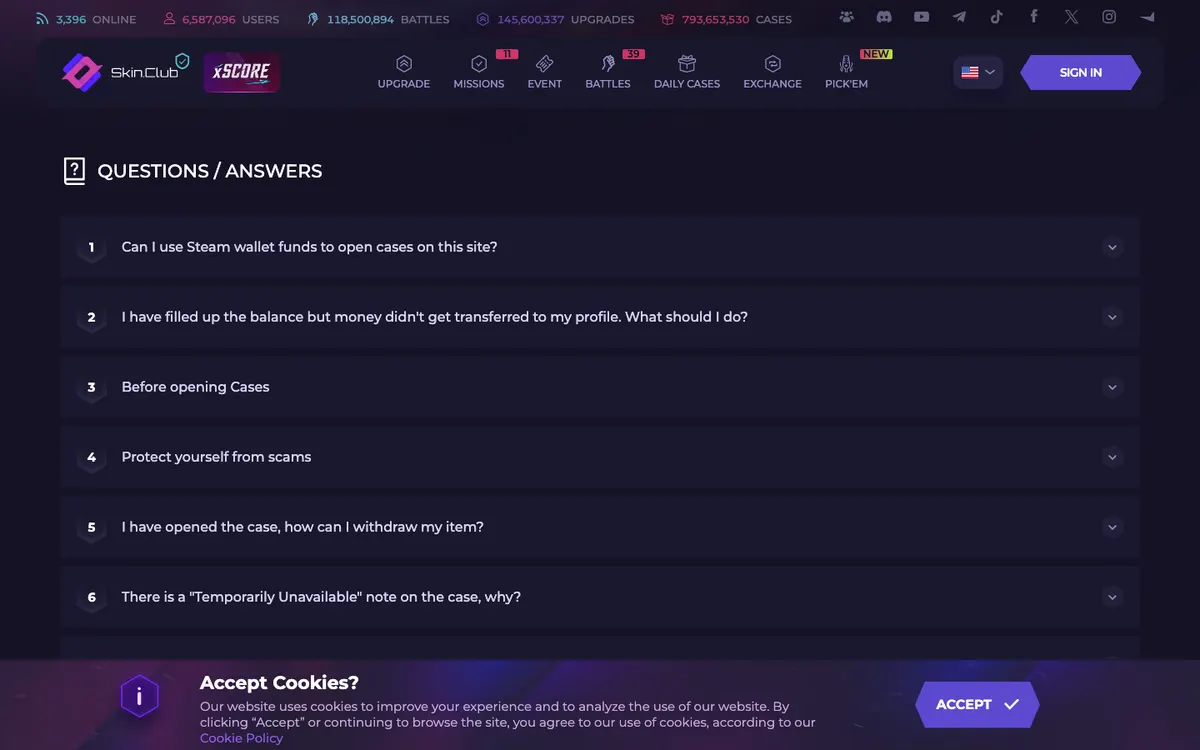
Skin.Club's official FAQ interface covers payments, withdrawals, Steam requirements and account verification. When investigating a delay, identify whether the affected transaction is an incoming deposit or an outgoing item before applying a timing statement.
Fees: inspect the whole transaction, not just a commission
Skin.Club does not publish a comprehensive fee table. Its Terms reserve the right to charge additional fees and change the fee structure. There is consequently no documented universal seller commission, deposit charge or withdrawal charge that can responsibly be applied to every transaction. An absent fee table is not evidence that a transaction has no cost, and a visible item valuation is not a published explanation of how that valuation was calculated.
Distinguish a fee from a difference in valuation
In general skin trading, a provider's offer can differ from an advertised marketplace price without the entire difference being an explicitly charged fee. A listing is an asking price, while a completed sale shows that a buyer actually accepted particular terms. An instant quote may serve a different purpose again. These distinctions explain why screenshots of different prices do not, by themselves, establish a hidden commission or an error in a specific transaction.
Compare the exact skin and the exact proceeds
As general item-selection guidance, CS2 skin comparisons should account for the weapon and finish, wear, float, StatTrak or Souvenir status where relevant, and distinctive patterns or stickers. Collector demand can differ between superficially similar items. This does not establish that Skin.Club recognises every such attribute in its valuations; its precise valuation formula is not published. Do not assume a specialist collector premium will appear in an automated quote.
- Compare like with like: the same item variant and condition, not merely the same weapon name.
- Identify the proceeds: Credits, Steam Wallet funds, a skin and money outside the platform are not interchangeable.
- Separate explicit deductions from the quoted valuation instead of labelling every price difference a fee.
- Review any confirmation-stage charge before authorising the transfer.
- Keep the original quote and final transaction record if you need support to explain a discrepancy.
Steam's Community Market illustrates why the destination matters: its transactions use Steam Wallet funds, and its purchase interface shows fee lines charged by Valve. That is a general Steam example, not Skin.Club's fee structure. For the brand's published position and the questions to ask at confirmation, see the Skin.Club fees guide.
If you already have an item, follow the withdrawal route
For an eligible item already held in your Skin.Club profile, the documented withdrawal control is Take. This is the route for receiving the item in Steam, not for selling it to a cash buyer. Skin.Club says its trades are carried out automatically by Steam bots. Automation describes how an offer is sent; it does not remove the need to inspect what you are accepting.
- Select the intended item in your profileCheck that it is the skin you want delivered. If the account reports an availability or balance restriction, resolve that message before assuming the transfer has started.
- Use the documented Take controlSkin.Club instructs users to select their items and click Take. Record any status message shown after the request.
- Wait for the Steam trade offerThe brand describes item withdrawals as typically taking a few minutes. That wording is not a promise that every account and item will complete within that period.
- Inspect the offer and accept only if it matchesCheck the expected incoming item and everything requested from your side. Confirm completion in Steam rather than relying only on a site notification.
The Terms note that some skins may be unavailable for withdrawal for reasons outside the company's control. An item shown in an account is therefore not, by itself, proof of immediate delivery availability. If your objective changes from keeping the skin to selling it, recognise that any later sale is a separate transaction with separate eligibility, pricing and payment conditions. Skin.Club's delivery estimate does not cover that later process.
Protect the Steam transfer, not just the account balance
A Steam Trade Offer is a proposed exchange specifying items on both sides. That makes the offer itself an essential checkpoint. Compare it with the transaction you initiated: whether you are depositing an item or receiving one changes what should leave your inventory. A familiar avatar, a convincing display name or a message claiming that an offer is official should not replace checking the actual transaction details.
As general Steam security guidance, Steam Guard's Mobile Authenticator provides two-factor protection for trade and market confirmations. A Steam trade hold means Steam retains items for a period before delivery, allowing an owner to cancel fraudulent activity. That general delivery hold is not automatically the same as Skin.Club's published deposit settlement period or its Instant Credit reversal rules. Read the notice attached to the actual transaction.
If an interface asks for your Steam trade URL, obtain it from your own Steam account rather than copying one from a message. A trade URL helps route offers; it is not a password or an authentication code. Never send credentials or confirmation codes to someone offering to release a payment. For a fuller checklist covering suspicious offers and account protection, use the trade-safety guide.
Troubleshoot the transaction you actually made
You deposited a skin but expected money
Stop making further transactions and review the original confirmation and payment status. A skin deposit credits the site under its internal-balance rules; it does not create a pending cash payout. Skin.Club's refund terms allow refunds only for a mistaken payment when the top-up balance remains untouched. That is a conditional policy, not a promise that a particular skin deposit will be returned. Explain the mistake to official support before using the balance.
Your deposit is on hold or a credit was reversed
Check Profile > Payments > On Hold for a held skin deposit. If the issue is a reversal, compare the Steam trade status with the site's payment entry and any Instant Credit adjustment. These are different situations: a hold concerns pending settlement, while a reversal can remove provisional credit and leave a negative balance. Ask support which transaction caused the status rather than depositing another item merely to see whether the account starts working.
The outgoing item has not arrived
Establish whether the withdrawal request was accepted, whether Steam shows an offer and whether the site reports item unavailability or an account restriction. These observations point to different stages of the process. If an offer exists, inspect its current status in Steam. If no offer is visible, preserve the withdrawal reference and status message. Repeatedly initiating new requests without understanding the first status can make your own records harder to follow.
Verification is requested
Skin.Club may request KYC because of activity, a transaction or a payment method. Its Terms allow requests for identity documents, a selfie with ID, payment evidence, address evidence and source of funds. Confirm any request through an official channel before submitting sensitive material. Do not use another person's payment credentials or attempt to bypass a regional restriction. Skin.Club states that an account is permanently blocked if KYC establishes residence in a restricted country.
For an unresolved transaction, Skin.Club publishes help@skin.club and says support operates 24/7. Supply the transaction type, reference, relevant Steam offer identifier, time, expected result and exact status message. State plainly whether you expected Credits, a Steam item or money so the misunderstanding is visible immediately. Support availability does not establish a response or resolution deadline. The support guide explains how to organise a useful request.
Do not turn a selling task into chance-based play
Case opening, upgrades and case battles are not alternative payout methods. They are chance-based activities for adults aged 19+ in Canada, and they carry a house edge. In Upgrade, Skin.Club describes selecting skins and a target item, with a smaller value gap corresponding to a higher success probability. That mechanic does not provide a predictable way to convert an unwanted balance into the item or amount you originally wanted.
Skin.Club says its mechanics use Provably Fair technology, with roll history and client and server seeds available. Verifiability concerns how results can be checked; it does not remove the house edge, guarantee a favourable result or make Credits cash-withdrawable. If you arrived only to sell an item, you do not need to play to clarify your transaction. Pause and use support instead. Further guidance is available on responsible play.
Before you transfer: the short decision checklist
- Need money outside the site? Do not treat a Skin.Club deposit as a cash sale; cash withdrawals are not offered.
- Want site Credits? Review the exact item valuation, settlement notice and consequences of a reversed deposit first.
- Already hold an eligible site item? The documented Steam withdrawal route is profile selection, Take and acceptance of the trade offer.
- Comparing prices? Match the skin's attributes and the type of proceeds, then inspect any explicit deductions.
- Facing a delay? Identify deposit hold, provisional-credit reversal, outgoing offer, item unavailability or verification before seeking a remedy.
- Unsure about a confirmation? Keep your item where it is until the destination and conditions are clear.
Frequently asked questions about selling skins on Skin.Club
No matching questions found.
Can I sell skins on Skin.Club for real money?
Does Skin.Club offer instant selling or marketplace listings?
Can I withdraw Credits to a card, bank account or crypto wallet?
What fee does Skin.Club charge to sell a skin?
Why is my skin deposit on hold for 8 days?
How fast will a withdrawn skin reach Steam?
Can I get a refund if I deposited because I expected cash?
Can I deposit or sell Dota 2, Rust or TF2 items?
Explore Skin.Club
Links to Skin.Club's official site are independent and earn no commission. →
This guide is independent and informational. Check Skin.Club's official site for current terms.