



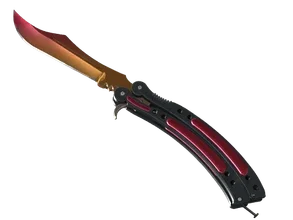
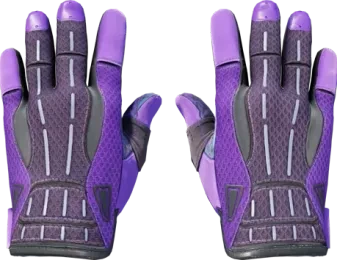
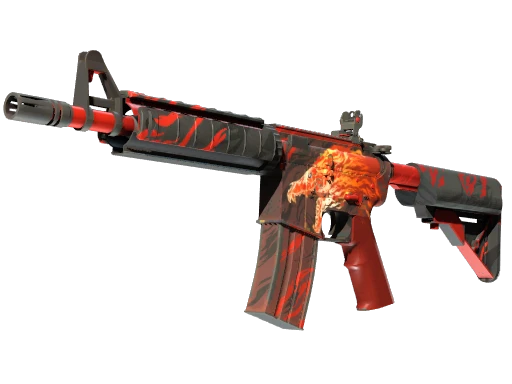
If your goal is to receive CS2 skins without approving the wrong trade, Skin.Club’s documented Steam-bot withdrawals and accessible Provably Fair records are useful starting points—not a complete safety guarantee. Secure your Steam account, check your trade link, understand the skin-deposit hold and inspect every offer before confirming. Skin.Club is a case-opening, upgrade and battle platform, not a conventional skin marketplace. Its chance-based games are 19+, carry a house edge and can result in losses.
The safety verdict: separate account security from gambling risk
Skin.Club identifies its operator as MOONTAIN LIMITED and says trades are carried out automatically by Steam bots. It also describes a Provably Fair system covering its mechanics, including roll history and client and server seed information. Those are concrete disclosures to examine. They are not equivalent to an independent security audit, a promise that an item will always be available or protection against losing the value committed to a game.
The practical answer to “is Skin.Club safe?” therefore depends on what you mean by safe. Steam account security, correct item delivery, payment settlement, legal eligibility and the fairness of a random result are different questions. A successful Steam sign-in does not answer all of them. Neither does seeing another user receive an expensive skin. Skin.Club also states that it is not affiliated with or endorsed by Valve, CS2 or Steam.
- Before signing in: navigate independently to https://skin.club/en and check the destination of any authentication page.
- Before depositing: understand Credits, settlement, eligibility and the fact that Skin.Club does not offer cash withdrawals.
- Before confirming a Steam offer: reconcile the account, items and direction of the trade with the action you initiated.
- Before playing: set an affordable entertainment budget and treat the entire amount committed as money you could lose.
Know which safeguard addresses which risk
| Area | What is documented | What you still need to check |
|---|---|---|
| Authentication | Skin.Club lists Steam and Google sign-in. | The actual login destination and the security of the account you use. |
| Item transfers | Skin.Club says all trades use automated Steam bots. | The specific Steam offer, counterparty and items—not just a bot-like name. |
| Trade confirmation | Steam Guard Mobile Authenticator supports trade and market confirmations. | The exact action displayed before you approve it. |
| Skin deposits | Skin.Club describes an 8-day hold and provisional Instant Credit settlement. | Whether a deposit is pending, settled or affected by a reversal. |
| Game results | Skin.Club says its mechanics use Provably Fair technology. | The available result record; fairness does not remove the house edge. |
| Withdrawals | Skin.Club describes withdrawing skins to Steam, not cash. | Item availability, account restrictions and the offer actually received. |
Use this distinction when something goes wrong. A payment hold is not automatically evidence of a stolen Steam account. An account-security problem is not resolved by checking a game seed. Identifying the affected layer helps you avoid the wrong fix, such as submitting another deposit when the real issue is an unconfirmed or mismatched trade.
Set up your Steam trade link and Steam Guard carefully
Use the trade URL belonging to the intended account
As a general Steam concept, a trade URL lets another party direct a trade offer to your account. It is not your Steam password and does not, by itself, approve a transfer. Retrieve it through Steam’s own inventory and Trade Offers settings rather than copying a link sent by a stranger. If you use multiple Steam accounts, confirm which account is open before copying anything.
Where Skin.Club asks for your trade URL, provide the complete URL from the account intended to receive the items. A profile address, inventory address and trade URL serve different purposes. If you regenerate your trade URL in Steam, check that the saved destination is updated before requesting another withdrawal. Changing a trade link does not undo a completed trade or repair a compromised login.
Keep website access and the Steam delivery destination separate in your checks. Skin.Club lists both Steam and Google sign-in, but being able to open a dashboard does not establish which Steam account will receive an item. Browser sessions and the Steam application may also be open on different accounts. Compare the intended profile with the saved trade destination before sending value, particularly on a shared computer or after switching accounts.
Treat Steam Guard as a confirmation barrier
Valve describes the Steam Guard Mobile Authenticator as providing two-factor authentication for trade and market confirmations. Its purpose is to put an additional approval step between account access and a sensitive action. Keep access to your authenticator and recovery information secure, and never disclose authentication codes to someone claiming to be a Skin.Club employee, bot operator or Steam moderator.
Read confirmations rather than approving them from habit. A familiar profile picture does not establish who controls the receiving account. Steam Guard also does not certify Skin.Club’s games or override Steam trading restrictions. Check any restriction message inside Steam itself; do not borrow a waiting-period claim from an old forum post and assume it applies to your account. For authentication troubleshooting, use the Steam sign-in guide.
Inspect every bot offer before accepting
Skin.Club’s automated trading model means a Steam bot can be the counterparty to an item transfer. Automation is a delivery mechanism, not an identity guarantee. An unrelated Steam account can use a convincing name or avatar. Separately, Skin.Club allows battles against bots or real players; a battle participant and a Steam trading account have different roles. Do not use information about one to authenticate the other.
- Match the offer to your own requestStart with the deposit or withdrawal you initiated. Open Steam directly and inspect the offer there. An unsolicited message saying a trade is ready is not evidence that it belongs to your transaction.
- Check both sides of the exchangeSteam Trade Offers package the items for both sides. Establish what leaves your inventory and what arrives. If a withdrawal unexpectedly asks you to send items, stop and reconcile the discrepancy before approving anything.
- Compare the actual item detailsRead the weapon and finish names, wear category and special attributes where relevant. Similar artwork or a familiar collection name is not enough. Compare the offer against the item selected in your account.
- Resolve identity mismatchesCompare any counterparty information supplied in the active transaction. Do not invent a shortcut based on an avatar, profile level or the word “official.” If the offer cannot be reconciled, leave it unaccepted and contact support.
- Read the final confirmation againCheck the final Steam approval screen independently of the browser conversation. Preserve the trade record after acceptance so you can distinguish a completed transfer from an offer that was only created.
This is general Steam safety guidance, not a claim that Skin.Club publishes a particular bot whitelist or matching code. If an offer changes or a replacement appears, inspect it from the beginning. Familiarity with the previous offer should not carry over to a different transaction.
Match the skin, not just its picture or displayed value
For CS2 items generally, rarity, wear and special attributes describe different things. Rarity is an item classification; wear describes its condition and appearance. A StatTrak designation is a separate attribute, not another name for a wear category. Similar-looking listings can therefore refer to different items. Read the full item description rather than relying on a thumbnail, colour or abbreviated name.
Price is not an identity check either. A displayed valuation does not prove that the offer contains the selected item, and market values can differ between services. Where a particular float, pattern or sticker matters to your choice, inspect the available item-specific information before confirming. Do not assume Skin.Club promises a particular pattern or attribute unless the actual selection states it. If an important detail cannot be reconciled, resolve that question before accepting the trade.
Understand holds, Trade Protection and provisional credit
The word “hold” can describe different stages. Valve’s explanation of a Steam trade hold describes items being retained before delivery, giving an account owner an opportunity to cancel a fraudulent trade. Skin.Club separately describes a skin-deposit hold and an Instant Credit Settlement Period. Keep those concepts separate: the site’s published settlement period is not a universal timetable for every Steam restriction.
| State | What it means | Practical consequence |
|---|---|---|
| Steam trade hold | A general Steam mechanism that holds items before delivery. | Read the Steam notice; a submitted offer is not the same as delivered items. |
| Skin.Club skin-deposit hold | The FAQ says skin deposits can be on hold for 8 days. | Check Profile > Payments > On Hold rather than treating the deposit as missing. |
| Instant Credit settlement | Skin.Club describes provisional credit during an 8-day Settlement Period. | Visible credit can still be reversed if Steam Trade Protection reverses the underlying trade. |
| Negative balance after reversal | The Terms allow a balance below zero and limits on withdrawals following a reversal. | A visible item or previous credit entry does not establish current withdrawal eligibility. |
| Withdrawal delivery | Skin.Club says item withdrawals typically take a few minutes. | This is a typical estimate, not a deadline or a promise of item availability. |
The important Instant Credit risk is that a balance may appear usable before the deposit is finally settled. Under Skin.Club’s Terms, a Steam Trade Protection reversal can reverse the related provisional credit and take the balance below zero. Do not interpret immediate balance visibility as proof that the underlying item transfer is final. Review the payment status before making further decisions based on that credit.
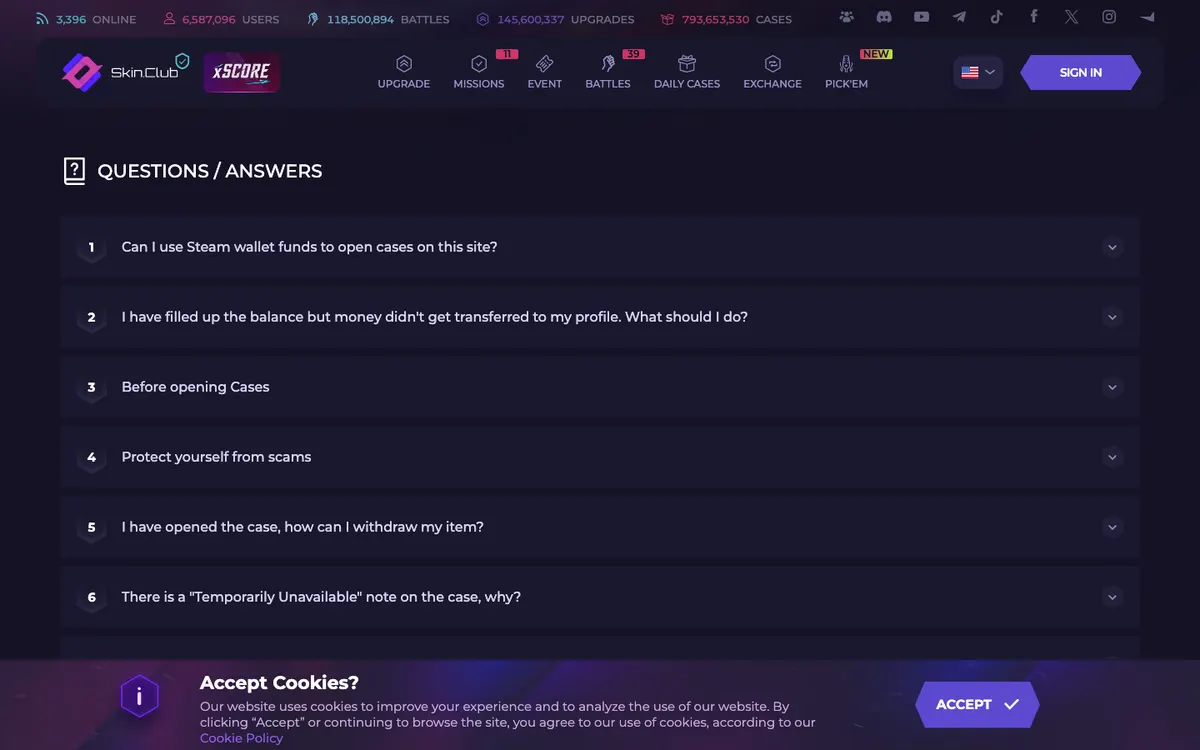
Skin.Club’s official FAQ covers payments, withdrawals, Steam requirements and account verification. Compare its explanations with the status shown in your own payment record; a general FAQ answer does not identify the cause of every individual delay.
Troubleshoot the stage that has actually stalled
Your skin deposit is listed as on hold
Start in Profile > Payments > On Hold, the location identified by Skin.Club’s FAQ. Compare that entry with Steam’s trade history and preserve the transaction reference. If Steam shows a completed transfer but the site shows no corresponding record, report that mismatch rather than describing the issue only as “balance missing.” Do not submit the same items through another offer because someone in a message claims the original needs replacing.
You requested a withdrawal but cannot find an offer
Skin.Club describes selecting profile items, clicking Take, waiting for a Steam trade offer and accepting it. If the offer is absent, check the saved trade destination, the Steam account currently open and any restriction message in Steam. Confirm whether the withdrawal remains pending or the item is unavailable. The Terms say some skins may be unavailable for reasons outside the company’s control. Avoid treating the usual delivery estimate as evidence that every delay is a scam.
An offer exists, but something does not match
A visible offer is not a reason to rush. Stop if the item, receiving account or trade direction differs from what you intended. Save the offer identifier and a screenshot without exposing authentication information. Ask support to reconcile it with the transaction. If you accepted an offer but see no item, inspect Steam’s trade history and inventory for the receiving account before requesting a replacement. The deposit and withdrawal guide explains the broader transfer flow.
Your balance changed after a trade reversal
Compare the original skin deposit, any provisional credit and the reversal record as related events. Skin.Club’s Terms allow Instant Credit to be reversed and withdrawals to be limited after a negative balance arises. Ask support to explain the affected entries if they do not reconcile. Do not make another deposit simply because an unsolicited account says that payment will “unlock” your inventory. A genuine settlement question needs a transaction explanation, not an unverified instruction to send more value.
Recognise scam requests before they reach confirmation
The following are general Steam and account-security warning signs, not allegations about Skin.Club’s own staff. Scammers can borrow the language of verification, Trade Protection or automated bots to make an unrelated request sound routine. Judge the action being requested, not the confidence of the person requesting it.
- A request to move skins to a “safe,” “inspection” or “verification” account. Those labels do not make the recipient trustworthy; assess the transfer as an outgoing trade.
- A replacement offer announced only through chat. Reopen the actual transaction independently and compare the new offer from the beginning.
- A request for a password, authenticator code, recovery code or approval of an unexpected login. Support correspondence is not a reason to surrender account control.
- A login page reached through an unsolicited message, search advertisement or copied screenshot. Check the full destination instead of trusting branding or a familiar-looking page.
- Instructions to install an extension, run a script or grant remote access to repair a trade. Do not let a stranger control the session where you approve transfers.
- Claims that an account ban or lost withdrawal can be prevented only by acting immediately. Stop the conversation and verify the underlying issue through an independently opened official route.
If you suspect compromise, contain it before continuing
Stop trading and stop approving unexpected prompts. Use Steam’s own account-security and recovery tools from a trusted device to secure access, review unfamiliar sessions and inspect pending offers. Secure the email account linked to Steam as well. If you suspect unauthorised API access, review registered Steam API access through Steam rather than following a supposed cleanup link sent in chat.
Preserve trade records and relevant messages, then contact Steam about account access and Skin.Club about the site transaction. Do not assume either party can restore a completed transfer. Valve’s published explanation of its restoration policy describes why manually replacing traded items creates problems; prevention and accurate records matter. This is separate from whether a particular transaction is currently covered by Steam Trade Protection.
Use Provably Fair information for the question it can answer
Skin.Club says all its mechanics use Provably Fair technology, with roll history, seed changes and client and server seeds viewable, and other players’ results checkable. This provides a different kind of information from Steam trade history: it concerns game outcomes rather than who received an item. Save the relevant result record if you want to investigate a case opening, upgrade or battle outcome.
In general, provably fair systems use seed information and cryptographic commitments so a result can be checked against a defined process. The actual verification depends on the operator’s implementation and the information available for that result. Do not assume an algorithm, seed format or calculation from another site applies here. Follow the information exposed by Skin.Club’s own verification interface.
A verifiable random result can still be a losing result. Provably Fair does not establish that item valuations are favourable, remove the house edge, authenticate a Steam bot or guarantee withdrawal availability. Skin.Club also describes its Adrenaline indicator as informational, not something that changes or guarantees outcomes. See how Provably Fair verification differs from account safety for a focused explanation.
Protect your budget by understanding Credits and withdrawals
Skin.Club says deposits become Credits: internal tokens with no real-world value that cannot be withdrawn, transferred or exchanged for cash. It lists G2A Pay, credit cards and CS2 skins as deposit methods, but does not offer cash withdrawals. The documented withdrawal route is skins delivered through Steam. Do not deposit on the assumption that an unused or increased balance can later be sent to a bank account.
The Terms allow refunds only for a mistaken payment when the top-up balance remains untouched. If you notice a payment mistake, stop using that balance and contact support promptly. Skin.Club does not publish a complete fee table, and its Terms reserve the right to charge additional fees and change the fee structure. Read the transaction-specific information before approving a payment; do not assume a familiar card logo proves there is no additional cost.
Case opening, upgrades and battles are chance-based activities, not substitutes for purchasing a known item. If your objective is a specific skin, distinguish that goal from choosing an uncertain outcome. Do not commit more value to recover a previous loss or to resolve frustration with a pending withdrawal. The responsible-play guide covers budgeting and warning signs. In Canada, the minimum age stated by Skin.Club is 19+, or the applicable legal age of majority where you live. ConnexOntario offers gambling support at 1-866-531-2600.
Check identity and location rules before sending value
Skin.Club’s minimum age is 19 or the applicable legal age of majority where you live. Its Terms require lawful use, exclude residents of Washington and Nevada in the USA, permit geographic restrictions and prohibit VPNs and proxies. Being able to load the site or authenticate through Steam does not establish that you are eligible. Do not use location-masking tools to bypass a restriction.
The Terms allow identity checks triggered by suspicious activity, a transaction or a payment method. Requested material may include a government ID, a selfie with ID, proof of payment, address information or source-of-funds evidence. Using someone else’s payment credentials is prohibited, and an identity check showing residence in a restricted country can lead to permanent blocking. Confirm any document request through an independently opened official support route; do not send sensitive files to an unsolicited social-media account.
Give support a transaction record, not your login secrets
Skin.Club publishes help@skin.club for support and says support operates 24/7. That availability does not establish a guaranteed response or resolution time. Make the initial report specific enough to identify the failed stage. Keep related information together so a delayed deposit is not confused with an unrelated withdrawal or game-result question.
- Describe the operation: skin deposit, item withdrawal, payment error, account access or game-result query.
- Include the relevant transaction reference or Steam offer identifier, the approximate time and the status shown on each service.
- Name the affected items and explain the mismatch: missing offer, incorrect destination, unexpected outgoing items or an unexplained balance change.
- Attach useful screenshots with passwords, authentication codes, recovery details and unrelated personal information removed.
- State what you have already checked, such as Profile > Payments > On Hold, the saved trade destination or Steam’s trade history.
For an account takeover, report the access problem to Steam as well as notifying Skin.Club of the affected transaction. For a verification question, ask which official submission route applies before sharing documents. The support guide organises the published contact details and the information to prepare.
Final checklist before you trade
- I reached the intended site independently and checked the authentication destination.
- My Steam account, authenticator and linked email are under my control.
- The saved trade URL belongs to the account intended to receive items.
- I understand Credits, the 8-day skin-deposit hold and the reversal risk attached to Instant Credit.
- The offer’s counterparty, items and trade direction match my own request.
- I am eligible to use the service and am not bypassing location or identity rules.
- I understand that games carry a house edge, losses are possible and cash withdrawals are not offered.
- If something does not match, I will stop and preserve the record rather than approve it under pressure.
Skin.Club trade-safety FAQ
No matching questions found.
Is Skin.Club safe to use with my Steam account?
Can someone take my skins with only my Steam trade link?
Does Steam Guard guarantee that a Skin.Club withdrawal will be instant?
Why is my Skin.Club skin deposit on hold for 8 days?
How can I tell whether a Skin.Club trading bot is genuine?
What should I do if a withdrawal offer asks for my skins?
Does Provably Fair mean I cannot lose on Skin.Club?
Can I withdraw cash or get a mistaken deposit refunded?
Explore Skin.Club
Links to Skin.Club's official site are independent and earn no commission. →
This guide is independent and informational. Check Skin.Club's official site for current terms.